IPTVX Setup Guide for Kevin IPTV
How to add Kevin IPTV to IPTVX on iPhone, iPad, Apple TV & Mac. Stream 30,000+ channels in HD, 4K and 8K in under 5 minutes using Xtream Codes.
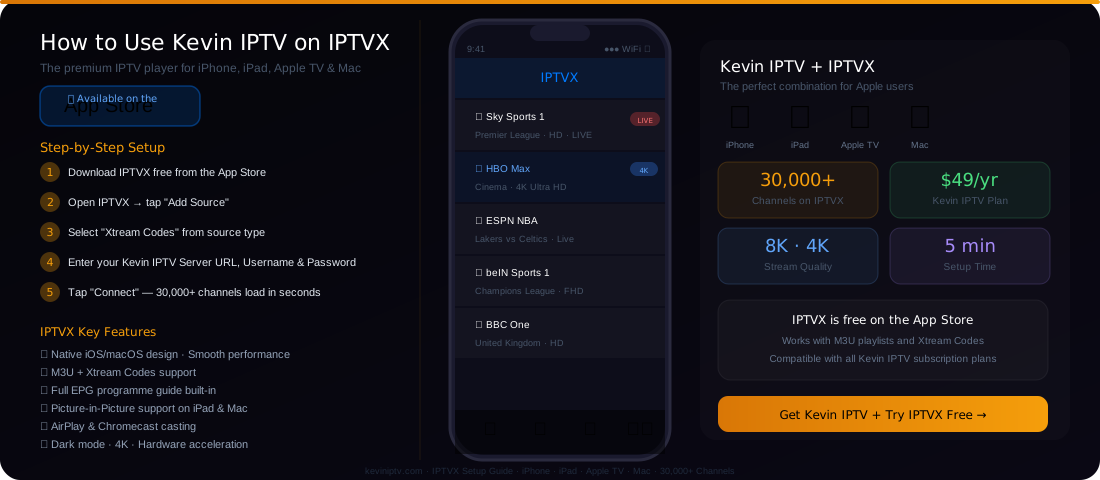
IPTVX Works on All Apple Devices
How to Set Up Kevin IPTV on IPTVX
Follow these 6 steps to start streaming in under 5 minutes
Download IPTVX
Search "IPTVX" on the App Store on your iPhone, iPad, or Mac. The app is free. Download and install it.
Subscribe to Kevin IPTV
Choose your plan starting from $49/year. You'll receive your Server URL, Username and Password via WhatsApp.
Open IPTVX & tap "Add Source"
Launch IPTVX and go to the Sources tab. Tap the "+" or "Add Source" button to start setup.
Select "Xtream Codes"
From the source type menu, select "Xtream Codes API" (recommended) or "M3U Playlist" if you have an M3U URL.
Enter Your Kevin IPTV Credentials
Type your Server URL, Username, and Password exactly as provided. Tap "Connect" or "Load".
Enjoy 30,000+ Channels
Your channels, VOD library, and EPG guide load automatically. Start streaming in HD, 4K, or 8K.
Need help? Kevin IPTV support is available 24/7 on WhatsApp
Chat on WhatsApp → +44 7916 998604Xtream Codes vs M3U — Which Should You Use?
Both work with IPTVX and Kevin IPTV. Here's the difference:
Xtream Codes (Recommended)
- ✓ Fastest channel loading
- ✓ Full VOD & Series library
- ✓ Auto EPG programme guide
- ✓ Catch-up TV support
- ✓ Better stability & reconnection
- ✓ Login with Username + Password
M3U Playlist
- • Simple URL-based setup
- • Works with any IPTV service
- • Good for channel-only streaming
- • Paste the M3U URL directly
- • Manual EPG URL required
- • No built-in VOD navigation
Why Choose IPTVX for Kevin IPTV on Apple Devices?
IPTVX is the best IPTV player available on the App Store
Native Apple Design
Built with SwiftUI for perfect iOS/macOS performance. No Android port lag.
8K & 4K Playback
Hardware-accelerated video decoding for smooth 8K, 4K, and HD streams.
Full EPG Guide
Electronic Programme Guide shows what's on now and next across all channels.
Picture-in-Picture
Watch live TV in a floating window while using other apps on iPad and Mac.
AirPlay & Chromecast
Cast from your iPhone or iPad to any compatible TV. No extra hardware needed.
VPN Compatible
Works with any iOS VPN app for secure, private streaming of any content.
Choose Your Kevin IPTV Plan
Works with IPTVX on all your Apple devices. 24/7 support included.
Simple, Transparent Pricing
No hidden fees. No contracts. Pick the plan that suits you and start streaming 20,000+ channels today.
6 Month Plan
Billed for 6 months
Only $6.67/month
- 20,000+ Live TV Channels
- HD & Full HD Quality
- VOD Library Access
- All Devices Supported
- 24/7 Customer Support
- Anti-Freeze Technology
- Adult Content (Optional)
- Electronic Program Guide
12 Month Plan
Billed for 12 months
Only $4.17/month
- 20,000+ Live TV Channels
- HD, Full HD & 4K Quality
- VOD Library Access
- All Devices Supported
- 24/7 Priority Support
- Anti-Freeze Technology
- Adult Content (Optional)
- Electronic Program Guide
- Catch-Up TV (7 Days)
🔒 Secure • Instant Activation
2 Year Plan
Billed for 24 months
Only $3.13/month
- 20,000+ Live TV Channels
- HD, Full HD & 4K Quality
- VOD Library Access
- All Devices Supported
- 24/7 VIP Support
- Anti-Freeze Technology
- Adult Content (Optional)
- Electronic Program Guide
- Catch-Up TV (7 Days)
- Best Value — Save 80%+
IPTVX Frequently Asked Questions
Everything you need to know about using Kevin IPTV with IPTVX
Frequently Asked Questions
Everything you need to know about Kevin IPTV subscription service.
Ready to Stream 30,000+ Channels on Your iPhone?
Get Kevin IPTV today and set up IPTVX in under 5 minutes. 24/7 support included.
Get Kevin IPTV Subscription — From $49/Year →